Your experience with the machine decides which of these projects to cut first, and the list runs from simple coasters you can finish in an afternoon to a wooden flag that asks for a ball nose bit and tight Z-axis accuracy.
Early on, pick work built from repeated cuts, like coasters, keychains and V-carved signs, where a mistake on piece two is fixed by piece three.
1. Wooden Flag
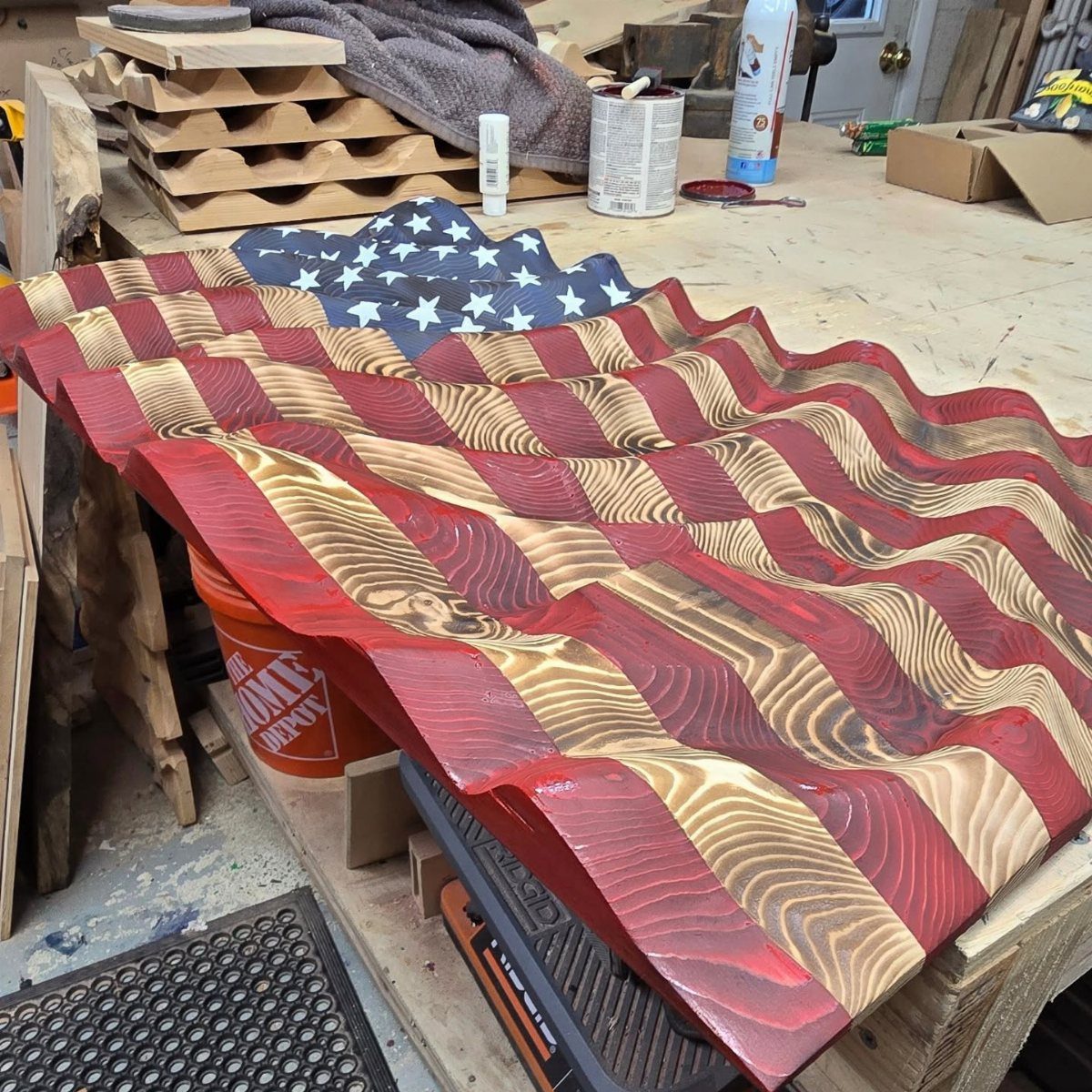
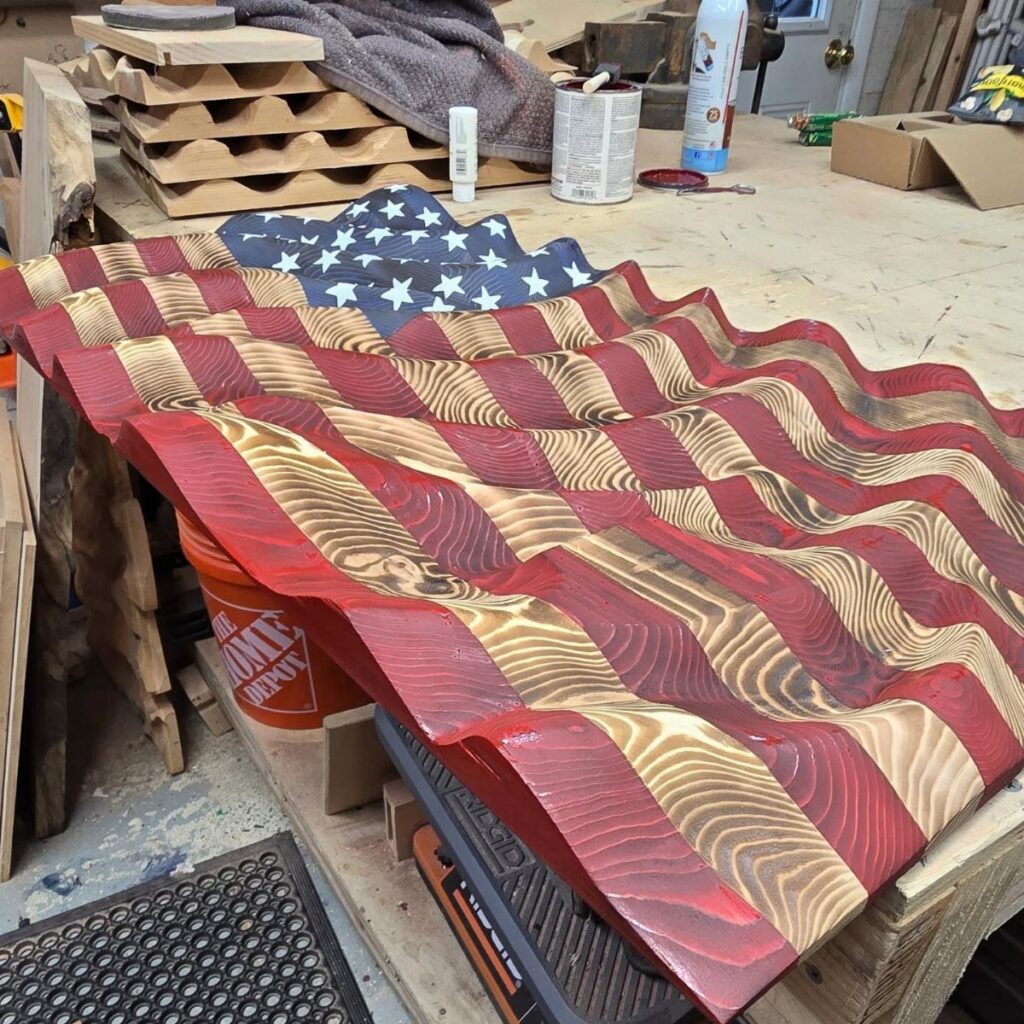
Wavy 3D stripes ask a lot of a CNC router, since the machine has to run a long surfacing toolpath with a ball nose bit and hold tight Z-axis accuracy the whole way across.
Carving the ripple, cutting the star field, and finishing the red, white and blue so each color stays crisp all pull on different skills.
I’d treat it as a graduation project. Build a few coasters and a sign first, then come back to this once toolpaths and finishing feel routine.
Paint or stain is where it can go wrong, so test your colors on scrap before touching the carved piece.
2. Coasters and Drink Trays
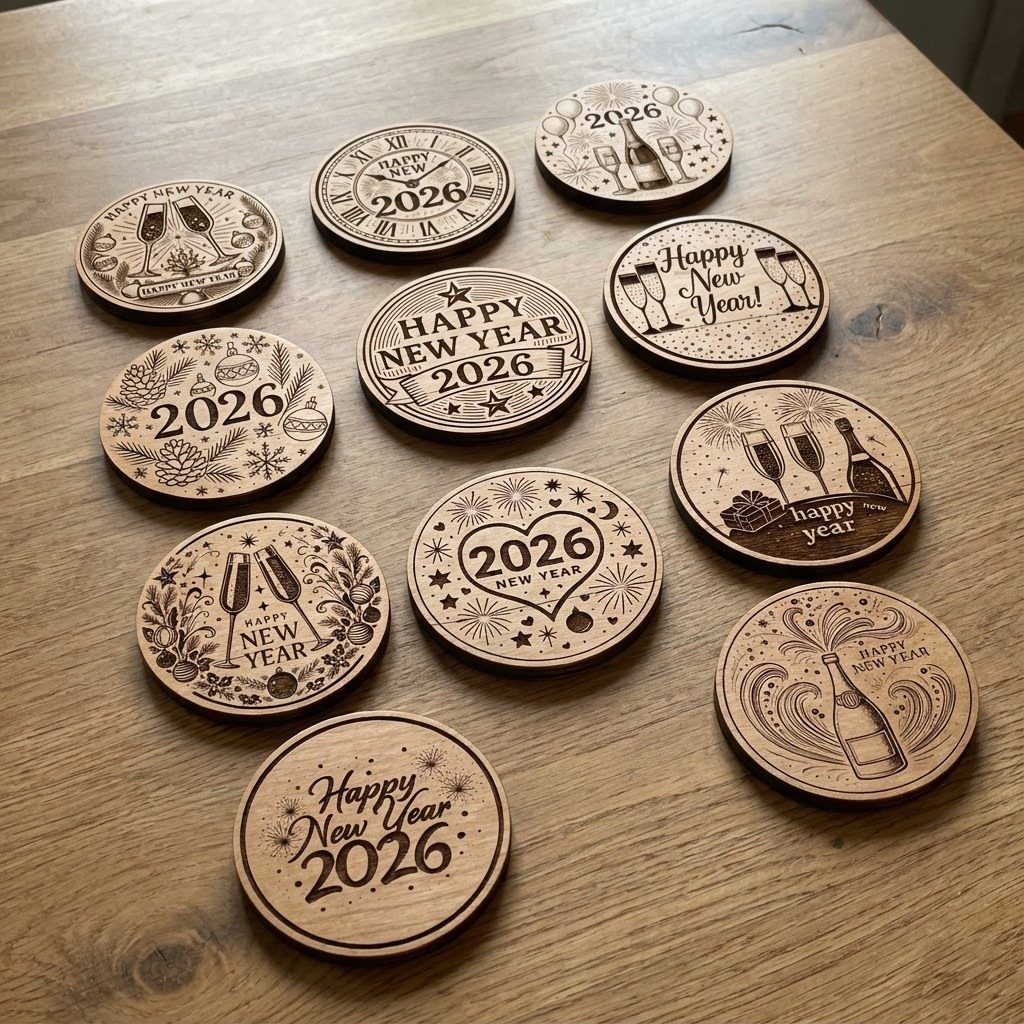
Coasters are the cheapest way I know to practice engraving. A 12-piece set like this one, with small champagne designs and a year, costs you scrap wood and an afternoon.
Because every coaster is a repeat of the same cut, you can fix a mistake on number two and have it right by number three. That feedback loop teaches more than one big project does.
Round blanks keep the toolpath simple. If you want a drink tray later, the same engraving settings carry over to a larger piece.
3. Wall Clocks
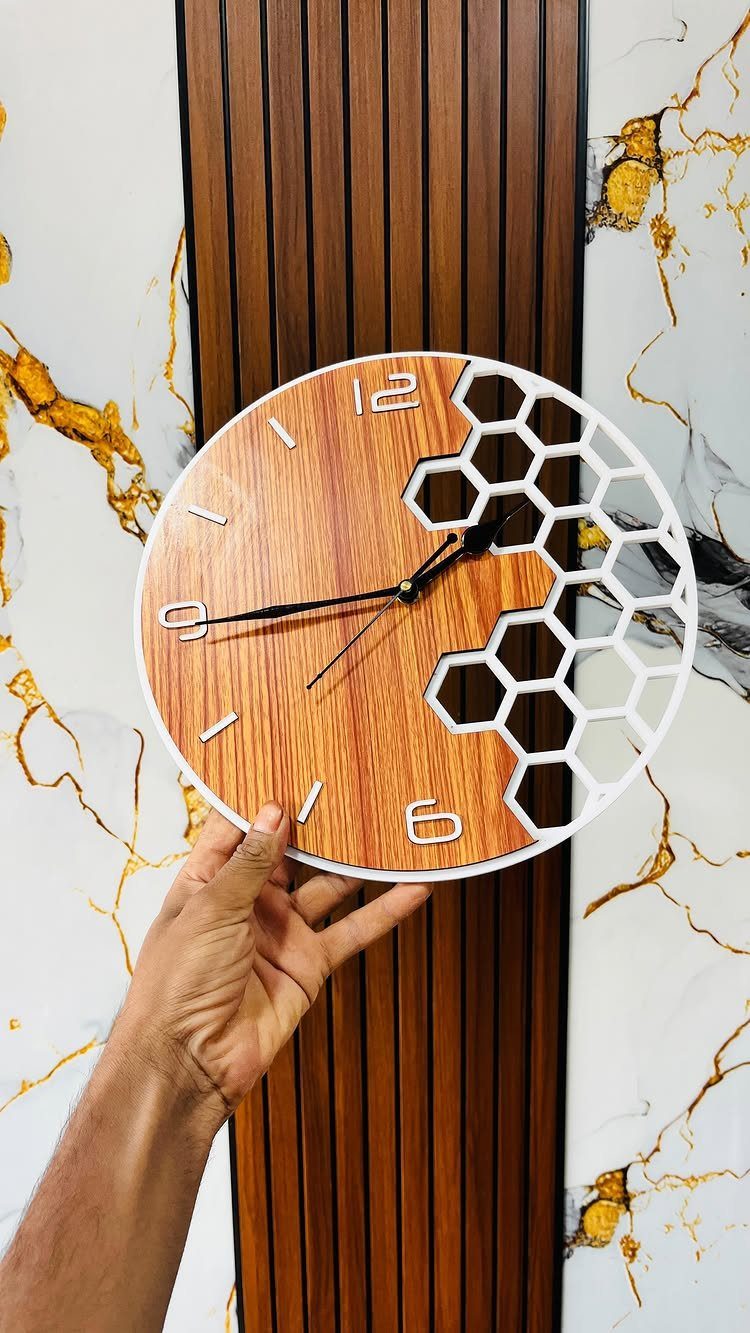
Clocks reward you for getting the center right. A circular face with a honeycomb cutout, like this wood-grain one, only works if the hole for the clock movement sits dead center and the pattern repeats evenly around it.
Pick a simple geometric pattern as your first design. Hexagons are forgiving because small spacing errors blend into the repeat.
A light finish that lets the grain show suits this style well. You’ll also need a clock mechanism, so buy that before you cut the center hole.
4. Decorative Wall Art

Cutouts do the work in a panel like this one. Rows of oval holes, sized and spaced to suggest a sphere, show a lighter surface behind the dark blue face.
Contrast is what sells it, so a painted front over a pale backer gives the cleanest result. I’d paint the panel before mounting it, since reaching into small openings with a brush is slow.
It looks intricate, but the file is mostly repetition. That makes it a good pick if you want a striking piece without much hand work.
5. Personalized V-Carved Sign
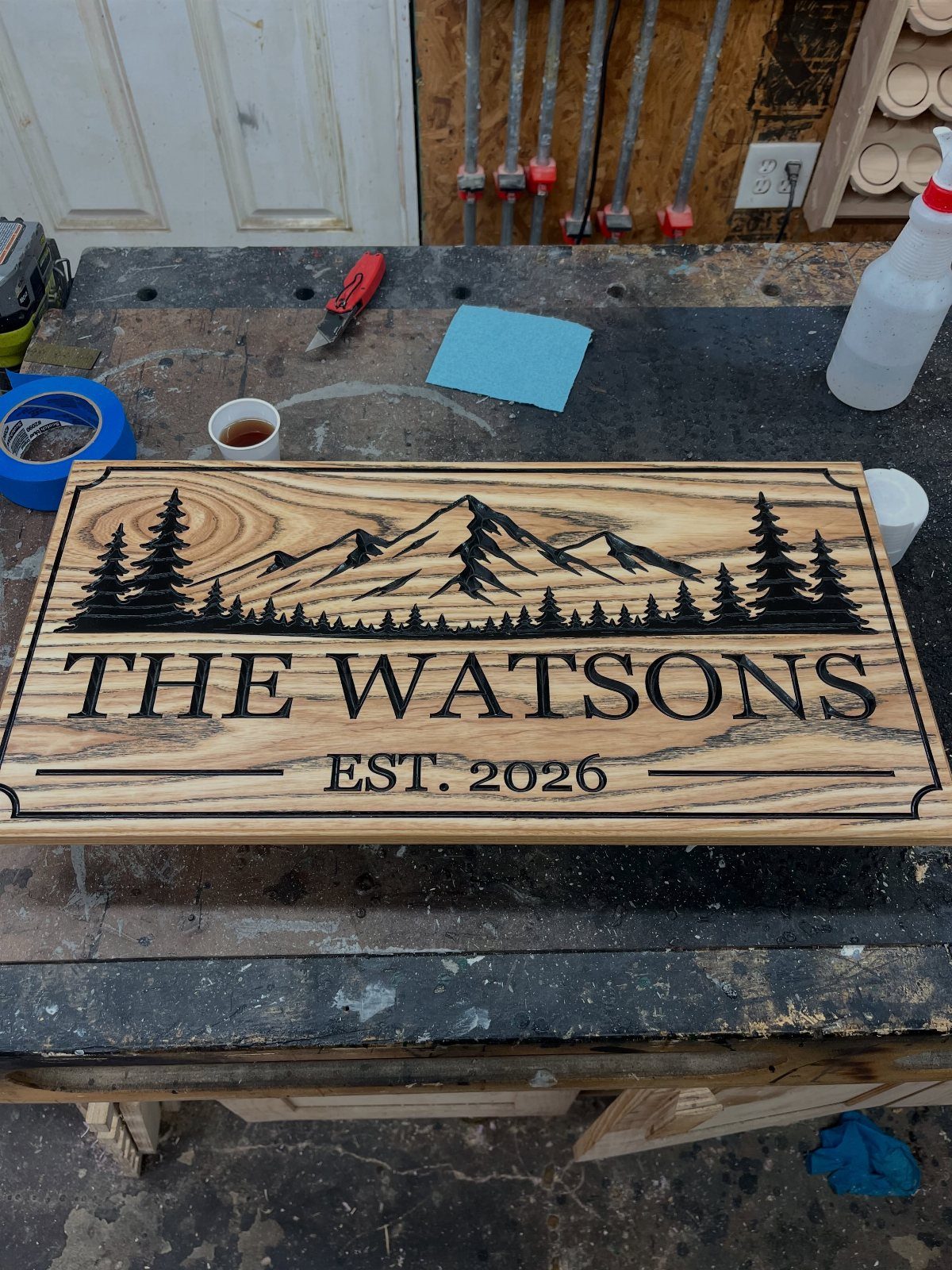
Nearly every CNC owner makes a name sign early on, and I think that’s the right call. Letters plus a few shapes, such as mountains and trees around a family name, teach V-carving without a lot of risk.
Choose bold, simple lettering first. Thin script looks lovely on screen but is harder to cut cleanly.
A date like "Est.
2026" makes it a gift people keep. Before cutting the good board, carve the same design into a scrap piece of the same wood, then measure how deep the bit actually went.
6. Layered Tool Organizer
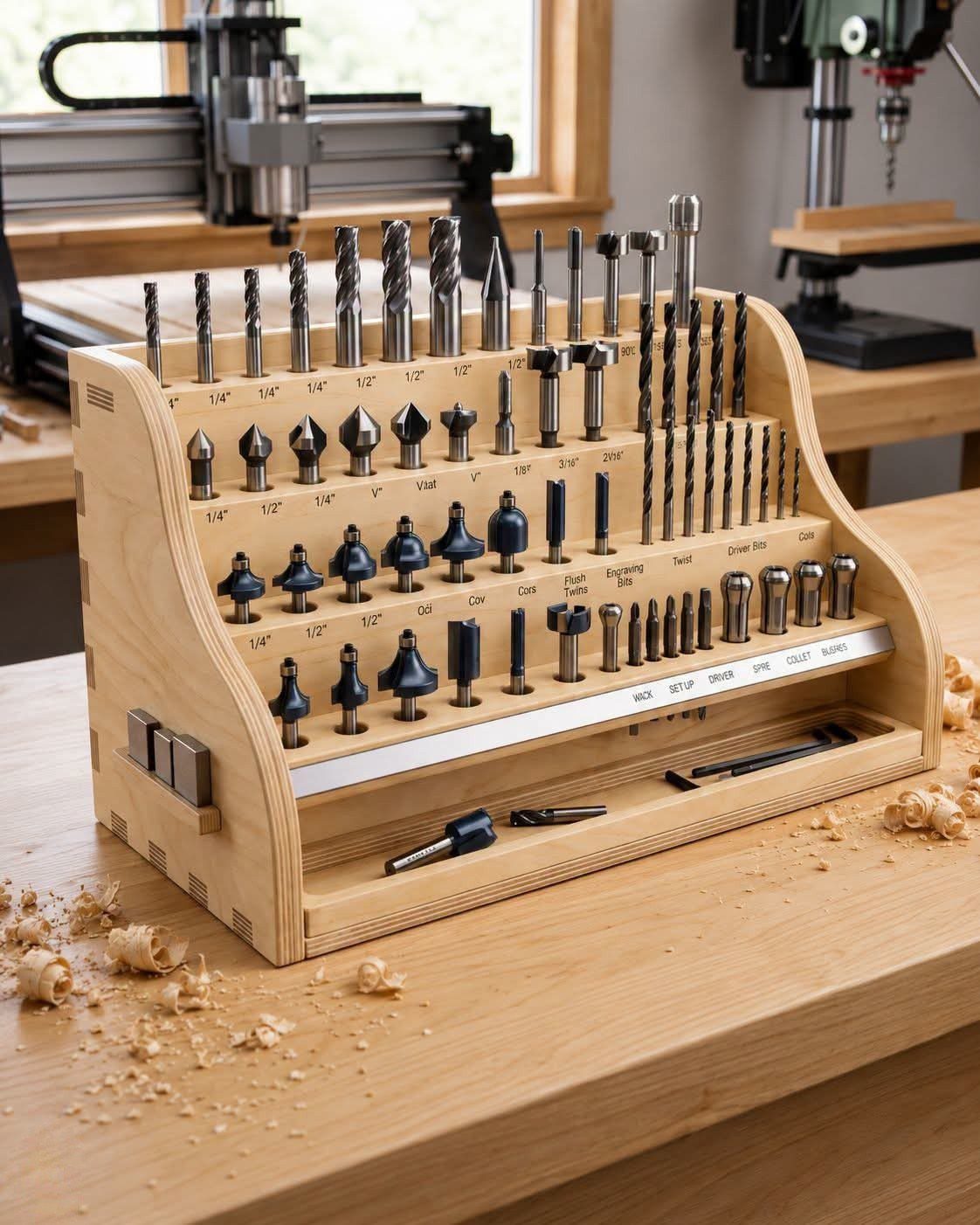
Loose end mills rattling around in a drawer cost money, so this is the project I’d build for yourself. A tiered block with labeled slots, like "Twist" and "Driver Bit," keeps each bit in its own spot.
Layers let you stack the cuts, with deeper pockets for long bits and shallow ones for short ones. Measure your largest bit shank first and size the holes with a little room to spare.
Labels are worth engraving right into the wood. Then everything finds its way back.
7. Carved Wooden Cutting Board
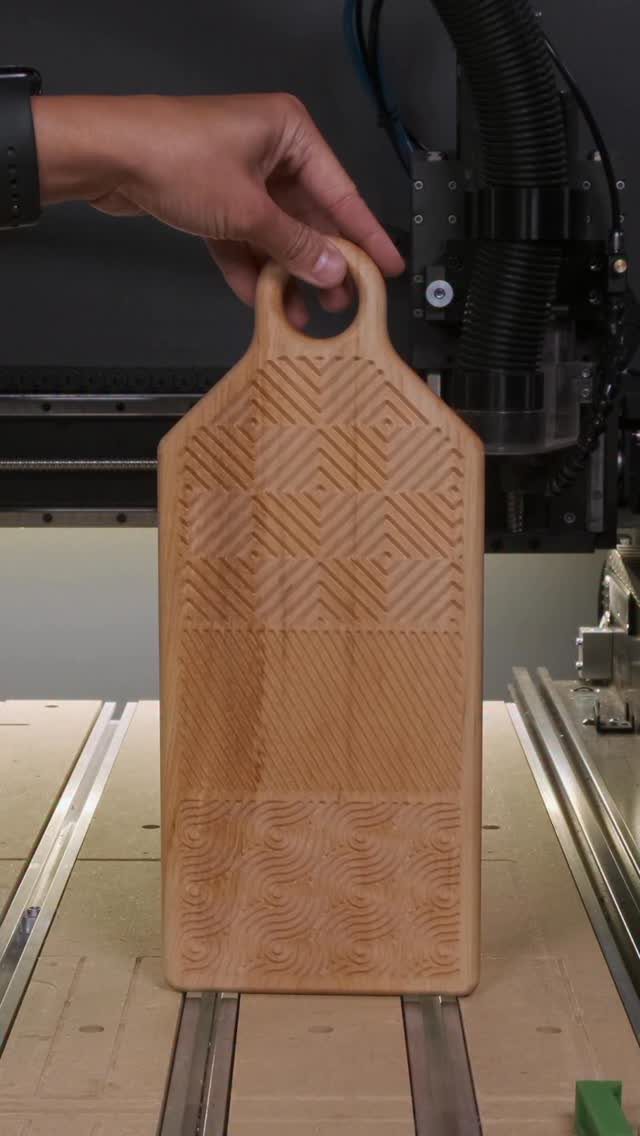
Geometric carving suits a cutting board because straight-line patterns are easy to draw and forgiving to cut.
Keep the pattern simple on a first board. Repeating angles and triangles give you a finished look without much design work.
Engraved lines also collect food residue, so I’d keep the carving shallow and use the board mainly for serving. Cut a test pattern on scrap first.
8. Compartment Serving Tray
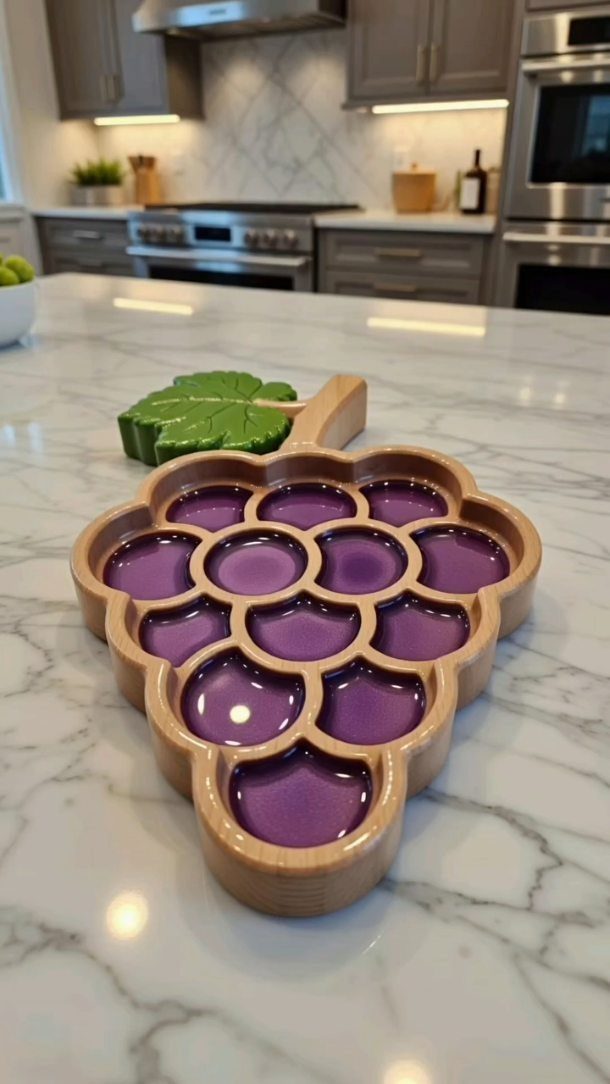
Resin does the heavy lifting on a tray like this: the CNC cuts the pockets, and poured purple resin fills them to make the compartments.
A grape outline with a separate leaf is a clever shape because curved clusters hide small edge flaws.
Pockets come first, so cut them to an even depth before you mix anything. Seal the wood before pouring, or the resin can seep into the grain.
Resin adds cost and cure time, so this is a project for your second or third month, not your first afternoon.
9. Wooden Keychains
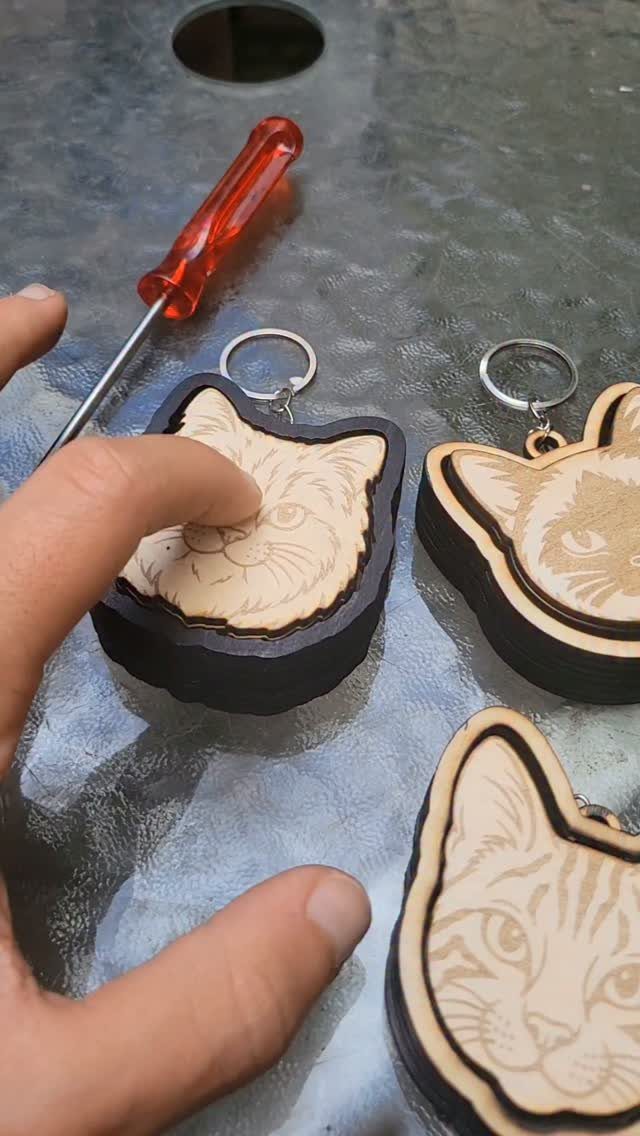
Small, fast and cheap, a keychain uses almost no material, which makes it ideal for a beginner on a budget.
Layering is what lifts the cat shape here: cut the outline from one thin piece and engrave the face on another, then glue them together.
Fine engraved details need a sharp, small bit, so run a test on scrap before committing good wood. Drill the key ring hole in the design file rather than by hand afterward.
Nest several shapes on one blank and you get a batch of gifts from a single sheet.
10. Carved Animal Figurine
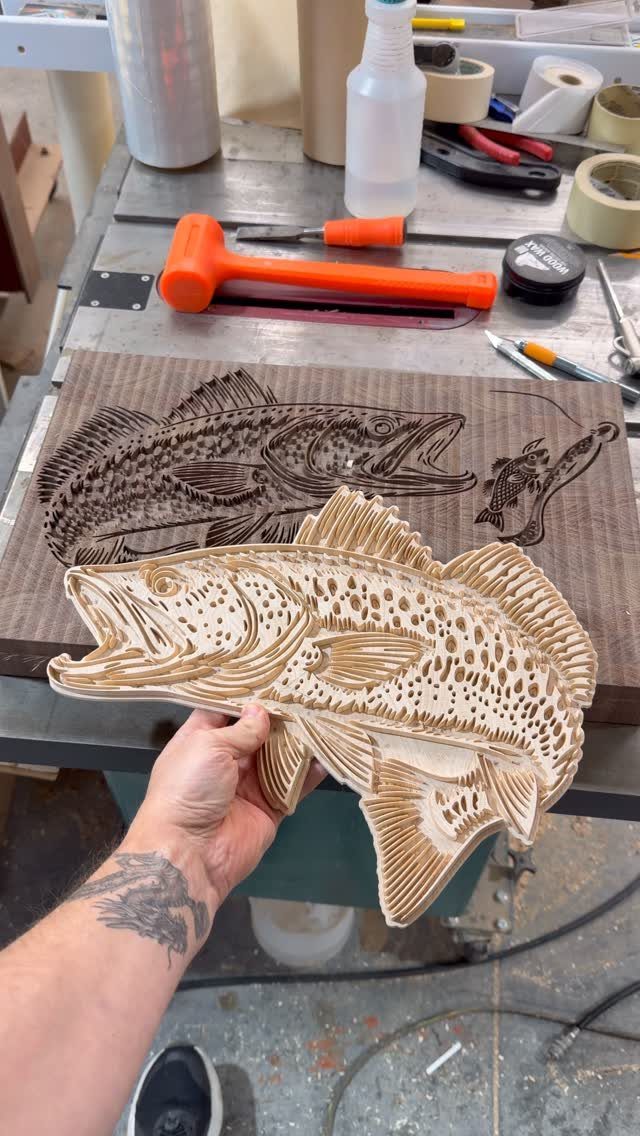
Scales are the detail that makes a carved fish convincing, and a routed scale pattern is mostly one repeated cut. A fish is a smart first figurine because its body is a smooth, simple outline with texture added on top.
Before attempting a full 3D shape, practice on a shallow, flat relief like an engraved fish carved into a board, since it teaches you toolpaths and depth settings with far less wasted wood.
You learn depth control without the risk of cutting through the piece.
Sand lightly afterward and keep the finish thin so the scale lines stay sharp.
Choosing the Right Materials
Wood is where I’d start, and price is only part of the reason. It forgives a bad feed rate or a slightly off depth, and that forgiveness lets you build workflow habits before the material starts punishing you.
Pick the wood for the finish you want. MDF takes paint well, while hardwood looks best under a natural stain or clear sealant.
Acrylic is the next step up. Plastics and soft metals reward you with clean cuts once you get them right, but they demand good heat control and chip clearing, so expect a few melted edges on the first tries.
Metal asks the most.
6061 aluminum demands better workholding and chip control, so I’d wait until you’ve finished a few easy projects. Brass asks for finer detail and careful finishing, so I’d save it until your wood cuts come out clean every time.
Nylon or translucent sheet suits long 3D relief work, but it rewards patience and a stable setup.
Whatever you choose, clamp the stock firmly to the bed. A piece that shifts mid-cut ruins the job.
Using Design Software
Free software is plenty to begin with. Carbide Create, Easel and Fusion 360 (personal use) all handle simple sketching and toolpaths without a subscription.
Run a few proven, ready-to-cut files first.
Free project libraries and community forums are good sources, though quality varies, so pick simple designs. Before you pay for a design file, read the buyer reviews and confirm the format will open in your software.
Once a basic project cuts cleanly, learn basic sketching and simple CAM. Then you can change sizes, text and structure to suit your own projects.
Look for plans that include a universal .SVG file. It imports into nearly any CNC software and usually comes with tool information and feeds and speeds.
Vectric and Fusion 360 both offer free tool library files, and I’d grab those before drawing anything. Build your tool library once and every plan after it starts with one less setup step.
Testing Designs
Running a test cut in scrap plywood or MDF before committing to your final material is the cheapest insurance in the shop.
Use scrap that matches the real piece in thickness and, when you can, in species or panel type, so the test cut behaves like the final one. Different species cut differently, and a mismatch makes the test useless.
Check 3 things: depth, speed and alignment.
Adjust one setting at a time. If you change depth and speed together, you won’t know which one fixed the problem.
Keep your best test pieces and write the settings right on them. Next time you cut that wood, you’ll have a starting point instead of a guess.
Frequently Asked Questions
What is a CNC router good for?
A CNC router cuts, shapes and engraves, so it handles signs, coasters, clocks, trays, keychains and tool organizers well. Wood is the most forgiving material to learn on, and acrylic, plastics, soft metals and aluminum come later.
A batch of identical coasters is the best teacher, since the second one lets you correct the first one’s flaw and the third usually comes out right.
Where can I find STL files for CNC routers?
Free libraries and user forums are where most people start, and sites like Vectric, OpenBuilds, Instructables and Pinterest all list designs at no cost.
Quality varies, so start with simple, proven files. Files saved as .SVG are my pick, because nearly every CNC program imports them.